In today’s global business environment, it is crucial for companies operating in multiple regions to have an ERP system that can effectively handle translations. Dynamics 365 Finance offers powerful translation capabilities, enabling organizations to operate smoothly across borders.
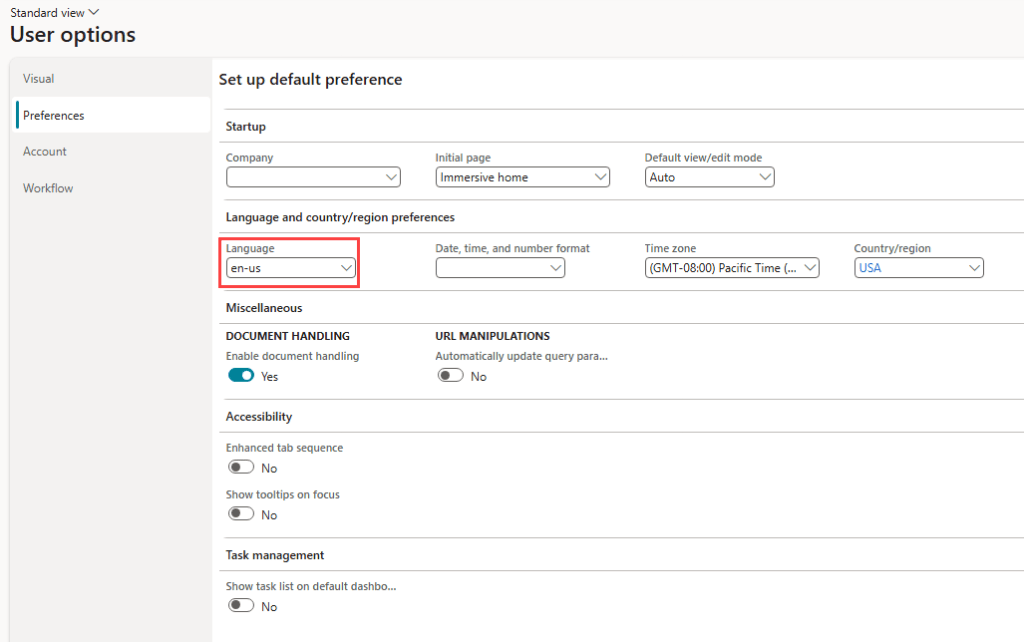
Dynamics 365 Finance users can effortlessly switch between different languages through the User options, ensuring a seamless and personalized experience.
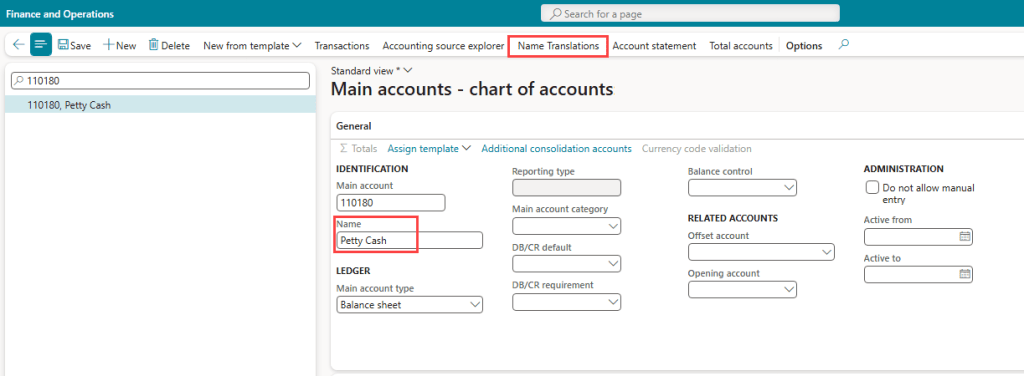
However, the system does not translate any user input names. For example, Main account names and Financial Dimension names are not automatically translated based on the language selected.
Using Main Account names as an example, to translate the name from English to a different language, users can utilize the “Name Translations” function on the Main account form.
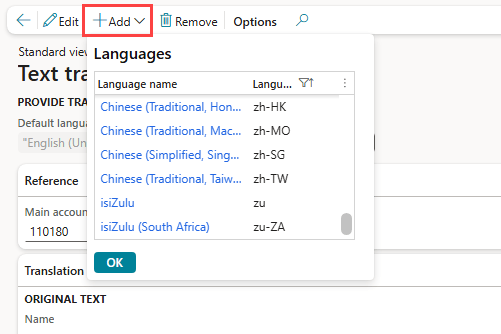
On the “Name Translations” page, click “+Add” to add the languages that need to be translated to.
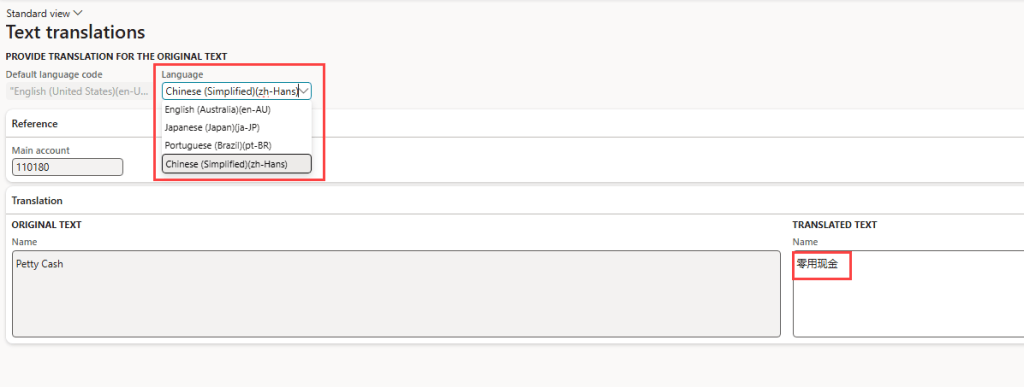
Then, select the Language from the drop-down menu and enter the translated text manually.
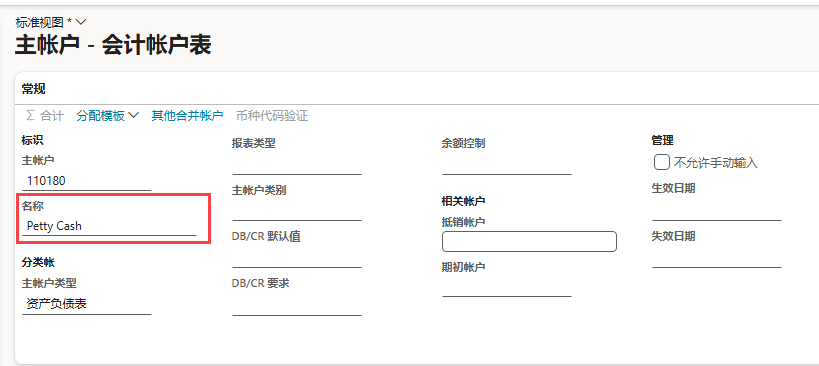
Note that, upon saving the translation and going back to the Main Account page, despite switching system language to zh-Hans, the Main account name does not show the translated name, and users will have to refer to the “Name Translations” button to review the translated name.
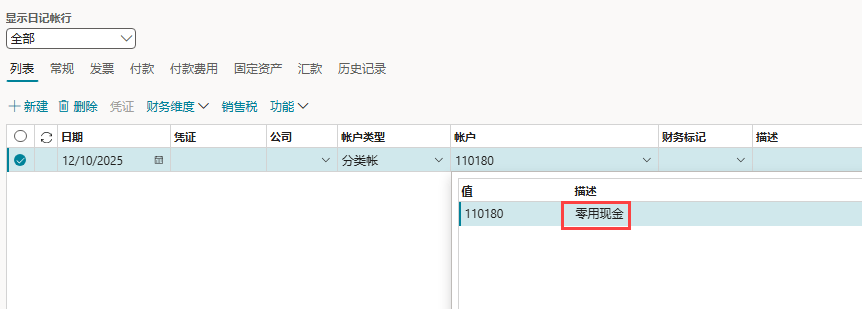
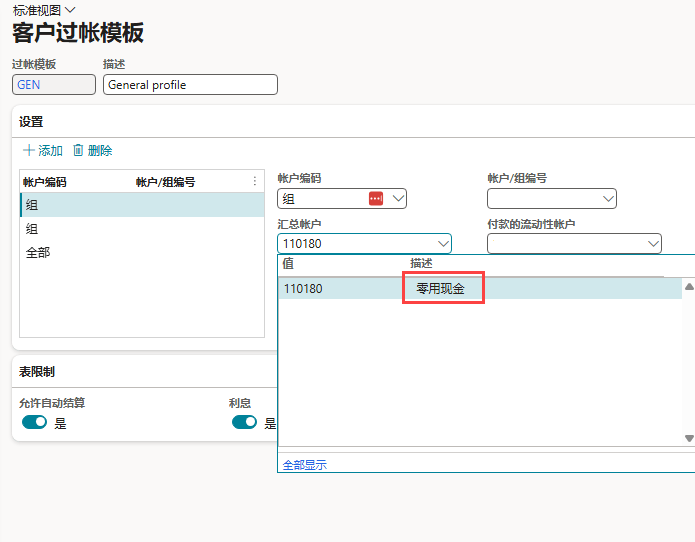
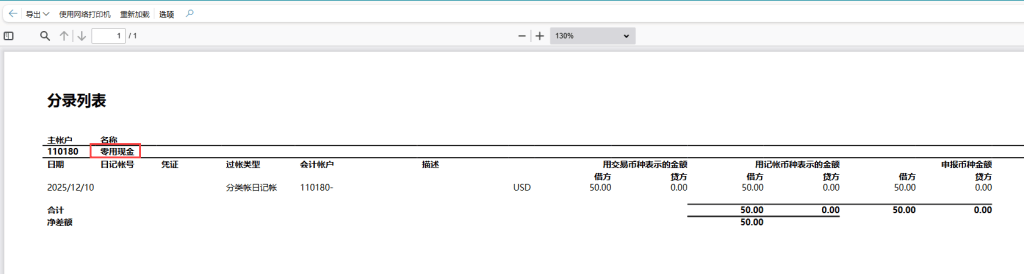
However, the translated name does show up in user interfaces such as where Main account search drop down is enabled (General Journals, AR/AP Posting Profile, Inventory Journals), Trial Balance, and SSRS Reports.
General Journal:
Voucher Transactions:

Trial Balance:

AR Posting Profile:
SSRS Report:
To simplify the process of creating the translated names for different languages for all the main accounts, financial dimensions, etc., it is possible to upload these names in bulk via Data Management.
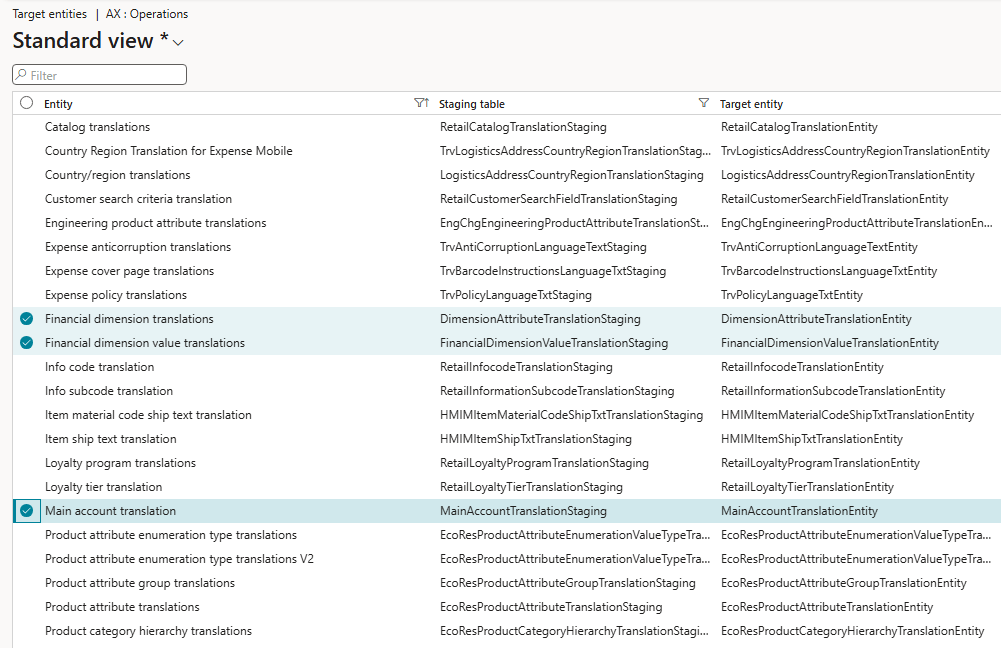
The “Main account translation” data entity for example allows user to define the Main Account, COA, Language, Original Text and the Translated text in the template for uploading to D365 Finance.






Leave a Reply