

D365 Finance offers the ability to enable dual-currency for a legal entity, allowing the accounting currency and reporting currency to differ for reporting purposes. However, discrepancies may arise in the reporting currency amount that require adjustments without affecting the transaction and accounting currency amounts. These issues can stem from foreign currency exchange rate calculations during manual reversals, where the transaction and accounting currency amounts are reversed accurately, but the reporting currency amount retains a balance. Additionally, data migration can lead to differences between the legacy system’s Trial Balance reporting currency amount and the calculated reporting currency amount in D365 Finance.
D365 Finance offers a feature called the Reporting Currency Adjustment Journal, which allows you to modify the reporting currency without affecting the transaction and accounting currency amounts. This functionality ensures that your financial reports reflect the desired currency adjustments while maintaining the integrity of the original transaction data.
Scenario:
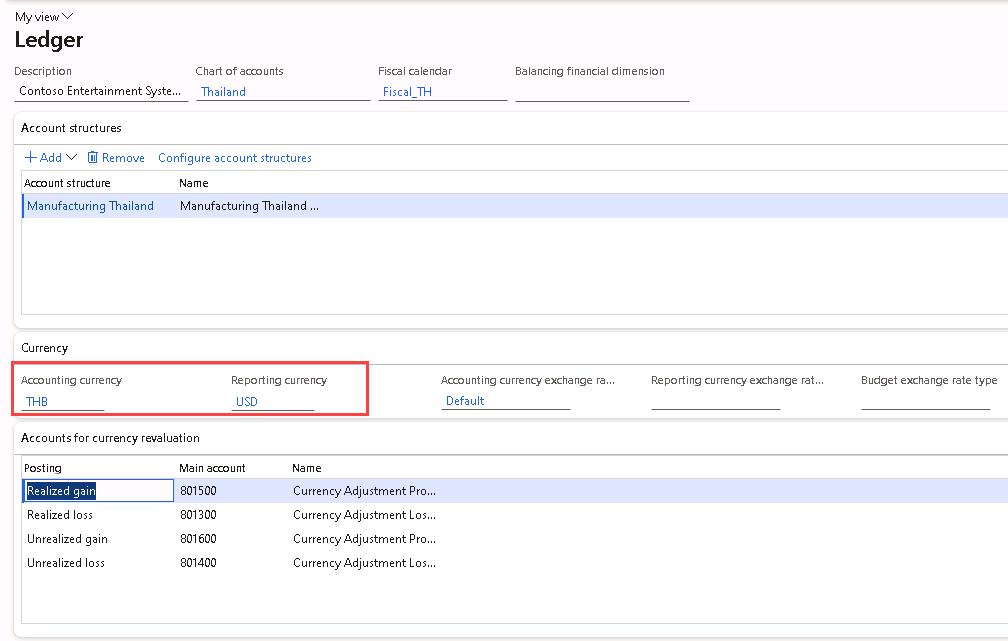
Legal entity THMF has Accounting currency = THB and Reporting currency = USD.
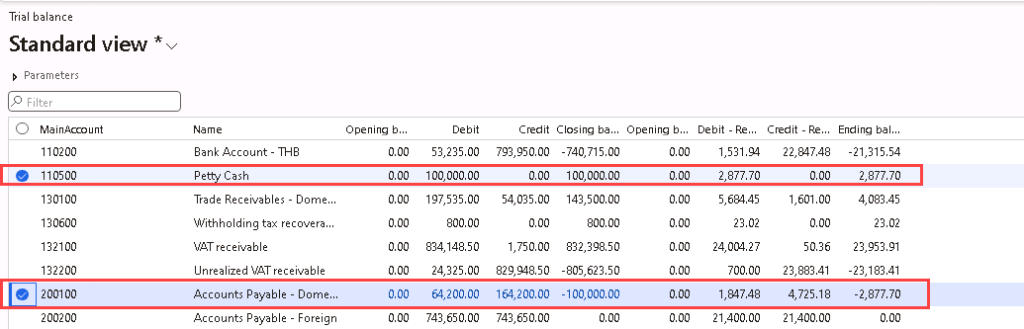
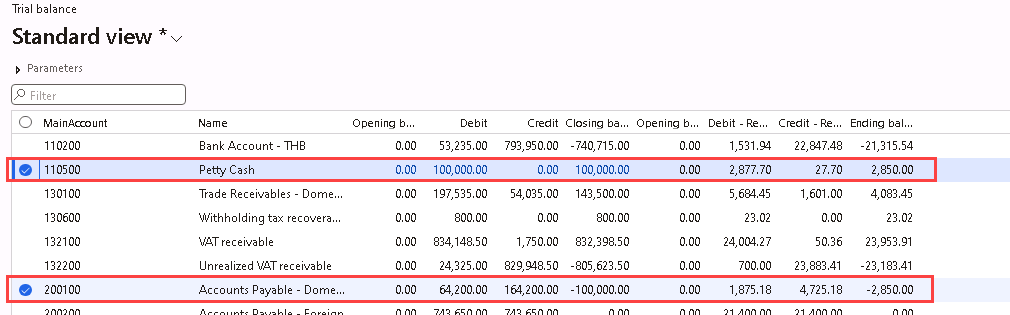
Due to exchange rate rounding issues, the migration entry for 110500 and 200100 has a reporting currency balance of 2877.70 USD instead of 2850.00 USD as per the legacy system. The difference of 27.70 USD needs to be adjusted out to match with the migrated reporting currency amount in the legacy system.
Solution:
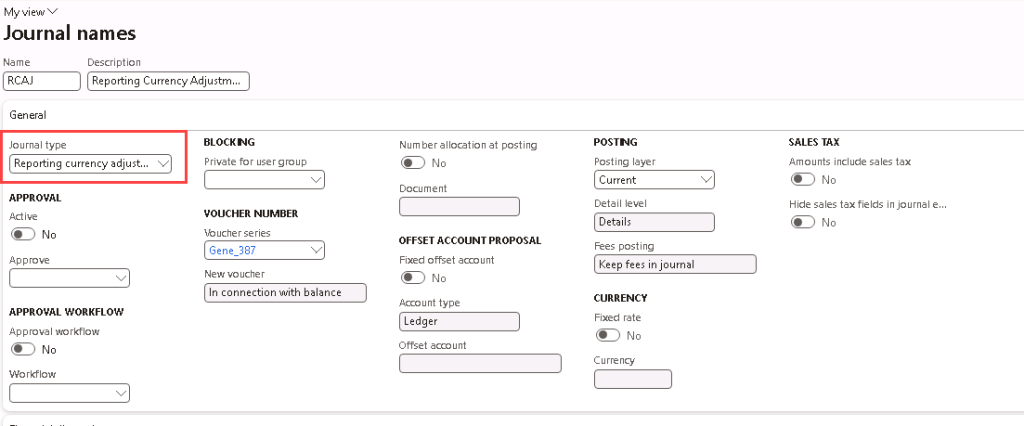
To use the Reporting currency adjustment journal, navigate to General ledger > Journal setup > Journal names to create a journal name for the Reporting currency adjustment journal.
Make sure to select Journal type = “Reporting currency adjustment journal”.
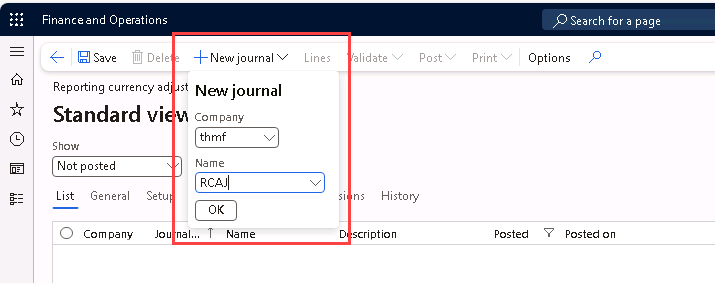
Then, navigate to General ledger > Journal entries > Reporting currency adjustment journals.
Click on New Journal, and select the Company and Journal Name and click OK.
Click on Lines to enter the adjustment details. Note that the Currency will be the Reporting currency as setup on General ledger > Ledger setup > Ledger.
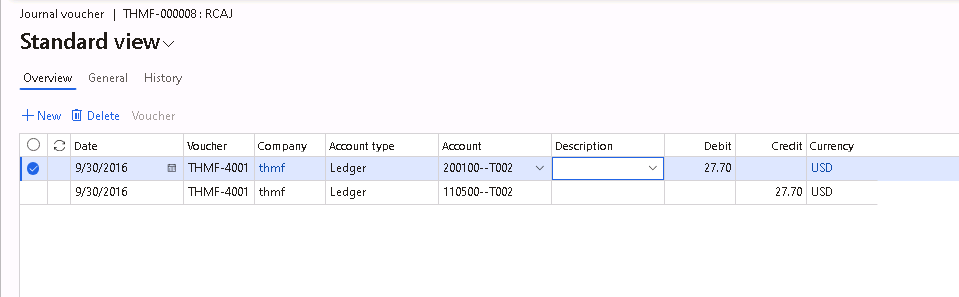
Then, post the journal.
The voucher posted will only affect the amount on the reporting currency, with 0.00 posted to transaction and accounting currency amount.




 D365 Deep Dive
Leave a comment